Mail merge to PDF.
Hundreds at a time.
Nothing uploaded.
Get started freeYour spreadsheet goes in, and one PDF per row comes out. Every row, every value and every finished PDF is made in your browser and stays on your machine — we never see them, because they are never sent.
- Load a CSV or Excel file
- Write or import your template
- Download every PDF as one ZIP
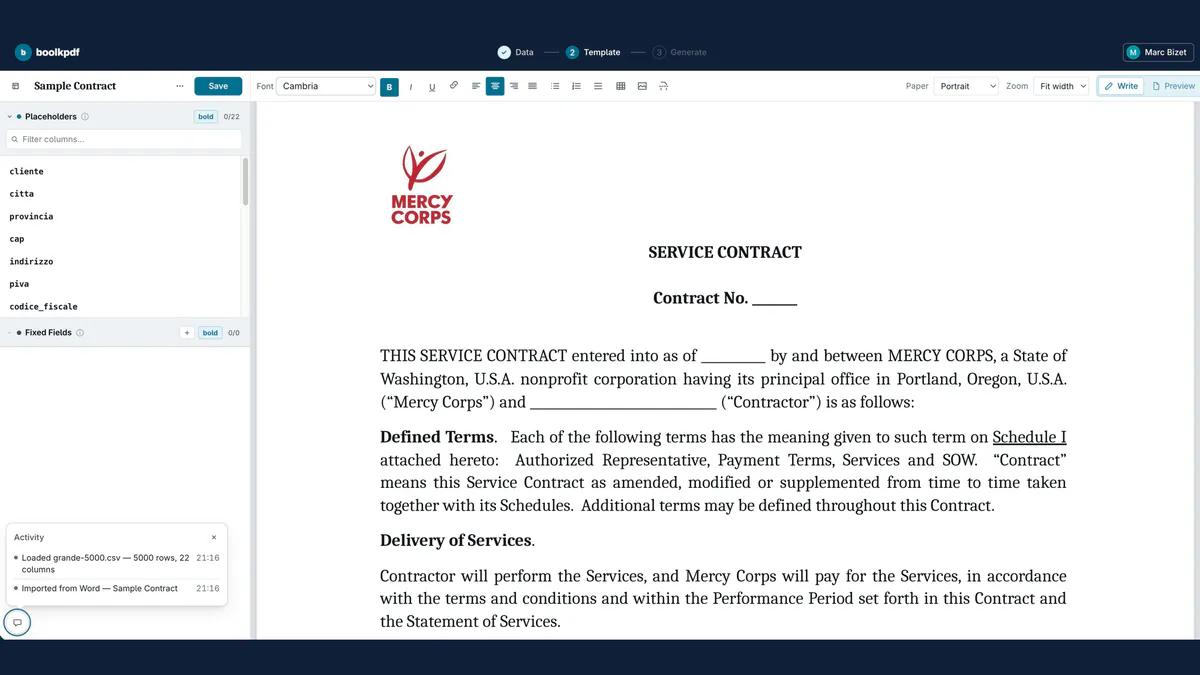
How it works
Three steps, start to finish
Load your spreadsheet
Drop in a CSV or Excel file. Every row becomes a document, every column a placeholder you can drop into the text. Your browser reads it, so nothing is uploaded, and every value prints as the cell shows it: dates and amounts keep the format you gave them.
Set up the template once
Write one here, or import a Word file or a PDF and edit it: the text reflows, so a long client name never breaks the layout. Or leave a finished PDF as it is and place the values on top, filling its form fields, tick boxes and lists if it has any.
Generate and download
One click renders every row and zips the files together, each named from a pattern you write, like Invoice_{{client}}.pdf. Three hundred take about two seconds, and they are made on your machine: the finished PDFs never travel either.
Reads .csv .xlsx .xls .xlsm .ods — and imports a template from .docx or .pdf
Step by step, with what each part costs: how to mail merge from Excel to PDF.
Use cases
Anything where the wording stays and the values change
Write the document once, mark the parts that come from a column, and the batch takes seconds. What comes out is whatever you wrote — these are just what people write most.
Contracts & agreements
One agreement per client, per tenant or per employee, drawn from the list you already keep in a spreadsheet.
- Service agreements
- Leases
- Renewals
Quotes & invoices
A name, a date and a figure change on every copy. The rest of the page is the sentence you wrote once.
- Quotes
- Invoices
- Statements
Certificates & diplomas
One per person, spelled the way the spreadsheet spells it, for a cohort of any size.
- Course certificates
- Awards
- Badges
HR & onboarding
The paperwork that follows a hire or a leaver, generated per employee instead of copied and edited.
- Offer letters
- Payslip letters
- Exit papers
Schools & training
Per-student admin at the scale a class or a course actually has, not one document at a time.
- Report cards
- Permission slips
- Rosters
Events & memberships
One per attendee or per member, out of the same sheet that already holds the sign-ups.
- Tickets
- Name badges
- Membership cards
Features
Built for long lists
FAQ
Questions, answered
Does my data get uploaded anywhere?
Your spreadsheet is not. It is read in your browser and never transmitted, and every PDF is generated on your machine.
How much does it cost?
Making documents costs nothing: the editor, the import, the preview and the PDFs are all free, in batches of up to 25 rows. €9.99 for the first year, then €14.99 a year, buys the two things a server has to do — keep your templates in your account, and stop counting rows.
What spreadsheet formats are supported?
CSV and Excel, up to 5 MB — 25 MB with the subscription. The first row can be used as column and placeholder names.
Can I use my own document template?
Yes — import a Word .docx or a PDF and correct it once, or write it in the editor, then place the placeholders wherever the values belong.
How many documents can I generate at once?
One document per row. Free, the first 25 rows of a sheet become PDFs — a real batch, in a single ZIP, however long the sheet is. With the subscription there is no ceiling: three hundred contracts take a couple of seconds.
Do I need to install anything?
No — just open the page.
Longer answers: why a Word mail merge hands you one file, the same job in Google Docs, and what “without uploading” actually means.